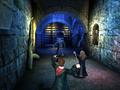
Level select
Use a text editor such as notepad to edit the "default" file in the "\ea games\harry potter and the prisoner of azkaban(tm)\system\" folder. Look for the "[HGame.HPPageFrontend]" heading. Find the "FirstLevel=HP3_Adv1Express.unr" entry and change the value of the .unr file to any of those located in the "maps" folder.