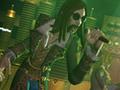
Video Shoot option
Enable the "Select Venue Screen" code. Go to the "New Venues Only" option at the "Modify Game" menu. Start the game in Quickplay mode, and choose a song. A "Video Shoot" option will sometimes appears at the top of the "Select Venue" menu. Press Up to display it. The options will be "Indie Genius Video Shoot", "High-Budget Video Shoot", or "Film Student Video Shoot". Select one of them to play with the corresponding alternate background.